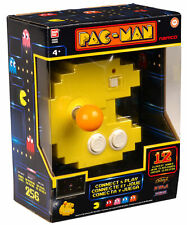
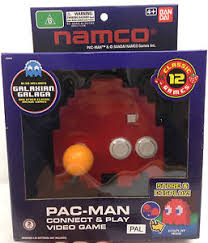
This Pac-Man plug and play unit goes by a number of names, and exists in a number of forms. The most common unit is the pixelated yellow Pac-Man shell, there’s a slightly less common Blinky (red ghost) model too. Most places refer to it as the Pac-Man Connect & Play unit to differentiate it from other Pac-Man / Namco machines, with ‘Connect & Play’ being the most prominent text on the box aside from Pac-Man. The unit was initially released in 2012, and re-issued in a modified box around 2015 for Pac-Man’s 35th Anniversary. It was released in multiple regions, PAL and NTSC, but best I can tell the software was never changed. Sometimes the unit is also called Pac-Man 256, because one of the features it advertises is the ability to access the now famous glitched final ‘Level 256’ of Pac-Man with ease.
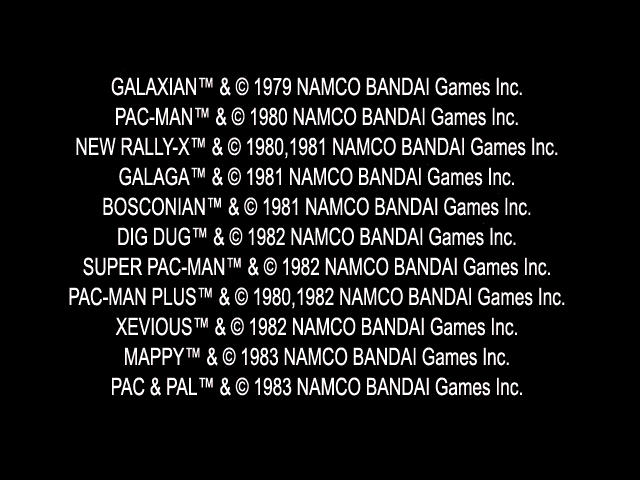


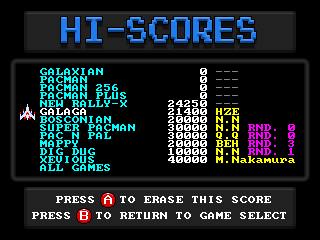
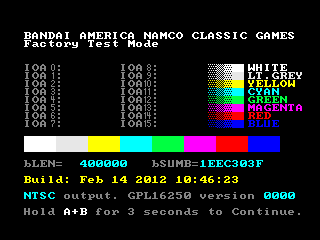
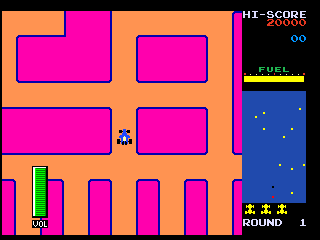
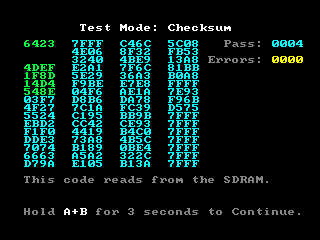
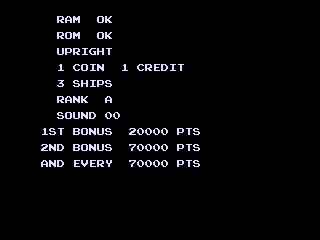
The test mode tells us it runs on GPL16250 hardware. This is the same hardware that JAKKS Pacific branded as GPAC800 and used for a variety of the more advanced Plug and Play units – typically those with lot of sprite scaling etc. The test mode also shows the build date, has a checksum screen, and even runs a demo of one of the included games, Rally-X, with a volume display, presumably used as part of development. The test mode gives it a further title ‘Bandai America Namco Classic Games’ which is likely the internal name, a little banal for advertising purposes. Sound is not yet emulated, but even in silence the volume meter moves, as the test mode demo runs which is curious.
So.. what is it? The title of this post is of course the answer, it’s a collection of emulators. The reason it needs the newer GPL16250 hardware from GeneralPlus / SunPlus, as opposed to the older SPG2xx based hardware is that the GPL16250 era tech has a significantly faster CPU, clocked at about 4x the rate, with the unSP2.0 core also having a much lower ‘Cycles per Instruction’ meaning overall execution is faster too – it’s actually a major revision to the SunPlus unSP architecture with pipelining and many new opcodes. In terms of video features the only real giveaway that it’s the newer hardware type is the use of the smoother blend effects, which were not available on older hardware, it does also use one of the extra tile layers on occasion, but that isn’t as noticeable.
These things set this unit apart from the final JAKKS Pacific unit ‘Retro Arcade featuring Pac-Man’ from 2008. That one isn’t yet emulated, but appears to be running the ported versions of the games, as found in other JAKKS units, rather than these emulated versions.
In practice, this means that the versions found on this unit should be closer to ‘arcade perfect’ than those found on the JAKKS units; the original Pac-Man patterns will work, and secrets, such as the developer display in Xevious can be triggered.
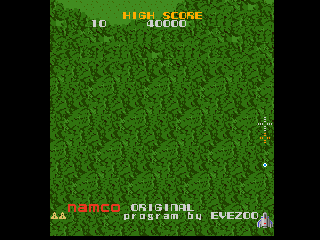
Xevious, along with Bosconian both highlight one of the major flaws of these Plug and Play units however, they have a 4-way stick. Without modification you cannot move in 8 directions. While with the JAKKS ones, sometimes you could if you forced into a corner or wore down the plastic enough, in this unit it doesn’t seem to be possible at all; it’s a 4-way stick, you can move in 4 directions. While I understand that Pac-Man controls much better with a 4-way stick, and these are primarily Pac-Man units, it makes me wonder why we saw both Xevious and Bosconian on these across multiple generations when you simply can’t play the games properly with a 4-way stick. The game code, in all cases, responds to 8 directions, but the physical controllers don’t allow this without modifications. The only exception to this is the ‘pocket’ version of the very first generation of JAKKS Namco units, but the port of Bosconian on there was much weaker than the SunPlus based ones in the first place. This doesn’t make this unit worse than the JAKKS ones, it’s just a common, frustrating design issue where some kind of swapable restriction plate would have been preferable.
By 2012 you might expect any emulation based Pac-Man unit being put on the market to have perfect emulation of Pac-Man and any other titles included in it. MAME had been around and emulating Pac-Man and many of those others for almost 15 years by this point, and while the emulation in MAME is always improving, there are certain things it has always got correct, and some of those things this unit falls down on.
One of the big reasons for this is MAME is software rendered, it allocated a bitmap, it draws, from the original graphic ROMs, to that bitmap. The target bitmap in MAME is the same size as the original screeen, every pixel is properly represented. This Pac-Man Plug and Play on the other hand is hardware accelerated, it uses native features of the GPL16250 video hardware to render the image, it is not software rendering to a bitmap, it’s likely the CPU core contained within doesn’t actually have enough power to do that. The other issue is that the video output of this Plug and Play has to work with CRT televisions, which means the 288 pixel high, vertical screen resolution of Pac-Man and many of these other games does not fit a non-interlace screen mode. Even if you chop the 5 rows of score etc. off the Pac-Man maze is still 248 pixels high, which is greater than the 240 lines you’re going to be able to display, and even then displaying anything near the borders is a problem as TVs aren’t guaranteed to render it which is why we have safe areas and all that.
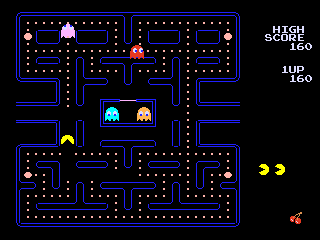
The solution varies by game, some, where they can get away with it, do just crop part of the image. Scores are rendered at the side, Dig-Dug does the same as the JAKKS units and scrolls the display based on your position but squeezing that Pac-Man maze in requires a more drastic approach, actually squashing the display of the maze, dropping lines so that it fits. The sprites don’t get the same treatment, they simply have their positions altered so they appear on the same line for 2 frames sometimes, although this can make the movement look jittery at times, and produces some cases where the sprites no longer quite fit in the maze and instead overlap the edges.
Such problems require a solution, this was a compromise. With the JAKKS units the compromise instead was to change the physical size of the maze slightly, but in doing so, you do change the original game AI slightly, and thus break the patterns; doing that with an emulation based unit also isn’t possible so it was either squashing, or scrolling, and for Pac-Man and related titles the choice was made to squash. For many I guess this was the logical compromise here, maybe some would have liked the option to rotate the screen, but that would have presented other challenges with aspect ratio, and required stretching instead as 288 pixels isn’t a good match for a 320 pixels width either.
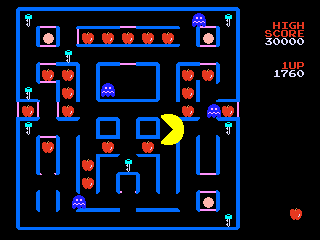
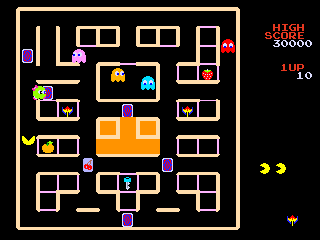
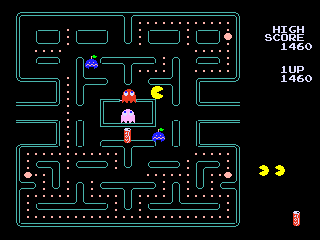
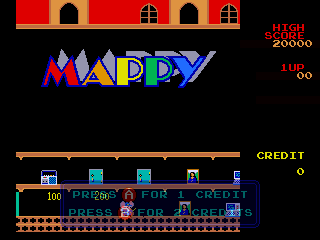
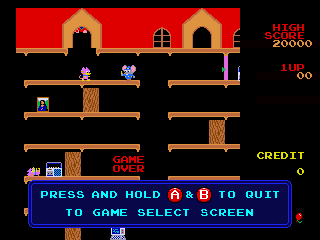
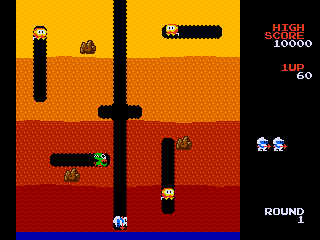
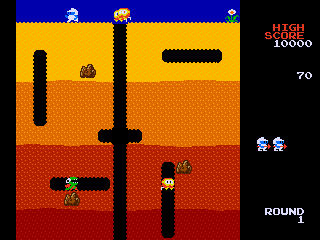
Mappy goes with the scrolling option rather than the squashing option, which works because it’s a platform game, and the scroll isn’t too distracting. Dig-Dug also scrolls, which is a little more distracting due to the slower pace of the game, but not game breaking. The ground pattern textures would likely have suffered badly at the hands of squashing, so again the logical choice for this game.
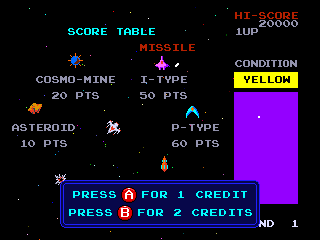
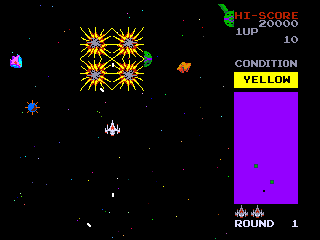
Bosconian is a horizontal game in the first place, so fares a bit better, but you have the attract mode taunting you with that diagonal shooting which is simply impossible on the stick this unit has. This also reminds me that current MAME versions have what is likely a bug with the left edge of the screen when emulating Bosconian, unless the original hardware actually does the same.

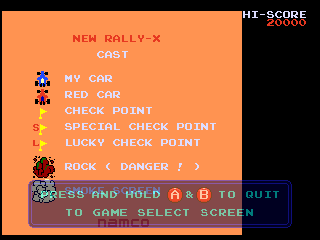
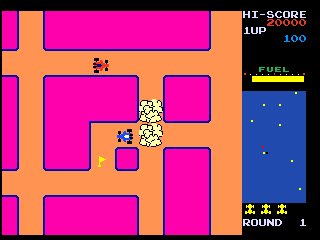
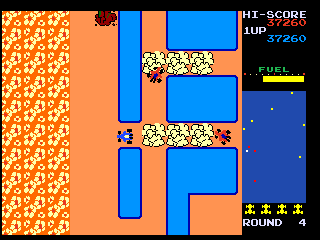
New Rally X is also a horizontal game, so again holds up better. This one is perfectly playable, and an enjoyable port, although I always preferred the original Rally-X, yet after a certain point it seems only New Rally-X was included on these units – with the JAKKS ones the oldest Namco ones had a poor port of Rally-X, then there was a single GameKey with Rally-X on, and everything else just used New Rally-X. Given the multiple variations of Pac-Man here it would have been nice to see the original Rally-X as a hidden bonus, especially as it’s one of the most enjoyable games on these things.
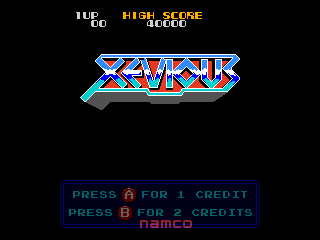
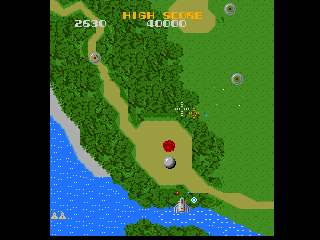
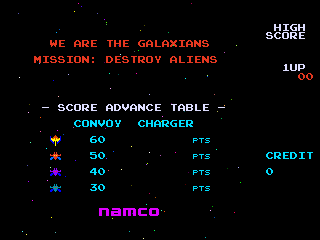
Galaxian and Xevious are best I can tell cropped. Both are worth mentions for the way they use the hardware tho. Xevious background tilemaps are too big for the usual GPL16250 layer size, so the raster interrupt is used to do a ‘split’ on the scroll, and swap between two different layers midscreen. Galaxian actually uses hardware rowscroll on the GPL16250 to scroll the player sprite and the invaders, just as the original used hardware scroll to do the same, it was interesting to see the feature so closely mapped, but in reality it makes sense, as otherwise it would have been necessary to render the tilemap as sprites.
Xevious, as already mentioned, is hardly worth playing without 8-way movement, which this stick doesn’t cater for, however it exposes another flaw in the design of that unit beyond that. A common strategy for playing Xevious is to just hold down both fire buttons, you’ll fire and bomb automatically, it’s basically built in auto-fire. This unit only has 2 buttons, and holding both down for over a second or 2 results in the ‘quit to menu’ prompt, which means you can’t just hold down the buttons while you play this. What’s worse is that at some point the unit was likely going to have a dedicated menu button like the JAKKS units, the code reads 2 extra inputs that aren’t externally mapped, one brings up the quit prompt, the other acts as a cheat to skip levels. A dedicated menu button would have been so much more preferable to this ‘hold 2 buttons to exit’ scheme.
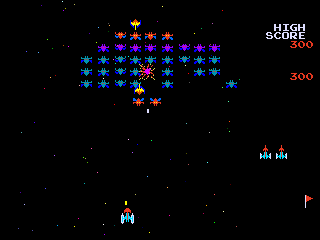
That leaves us with Pac-Man 256, which is literally just Pac-Man with a built in cheat to start on level 255, and Galaga. Galaga I think is just cropped, but maybe some sprite positions are altered. Either way Galaga is where things start to fall apart in more obvious ways.
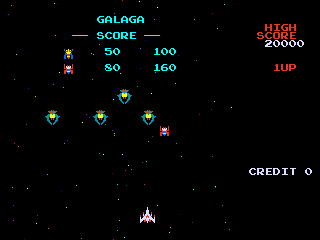
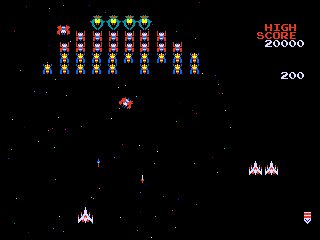
Even without delving into the code, one of the easiest proofs of how the games on this unit are emulated is with Galaga. You can crash the emulation of Galaga in the unit by taking control of the ship during the attract mode and causing the game to reset. Interestingly the Galaga emulation for this unit in MAME seems fragile in other ways as the attract demo does not properly follow the sequence, that could be a timing issue of a core bug, but the exploit to crash the game, which can be reproduced on the original unit by wiggling the joystick to evade capture in the demo, still works. When that happens it causes the game to reboot. This can sometimes even result in the corruption of the saved high score.
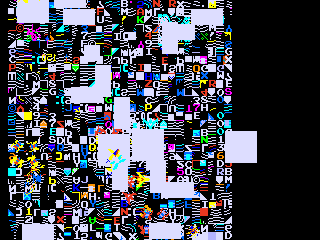

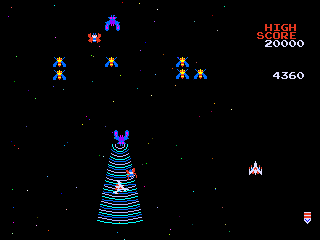
Galaga has a further bug, suggesting it was the least tested game in this collection. This one I believe is caused by something I mentioned before, the unit doing hardware accelerated rendering of the games rather than rendering in software to a framebuffer. The bug is simple and again revolves around the capture mechanic. This time, allow your ship to be captured during play, then rescue it – an entire normal Galaga strategy, and you’ll notice the secondary ship shoots an invalid bullet sprite, the bullet fired from your left ship is slanted at an angle, the incorrect sprite tile is being used, presumably because some mapping table used to map the game sprites to the native GPL16250 sprites is incorrect (this is a guess, but appears to be the most logical explanation) There are videos (not mind) of this happening on the original unit that can be found on YouTube.

Another thing you can see with this unit is the input latency. With the JAKKS units, which are ports, the response on all games appears to be immediate, on this unit, there seems to be a delay, likely due to how the emulated video is being processed and presented. This is noticeable on original hardware and emulation alike and is often a side-effect of emulation as you’re working with video buffers etc. For some this might be a deal-breaker also.
Overall I have to say that while this is an emulated collection of games, and should be superior, various things let it down. The emulation is dated, the hardware is under-powered for it, there are noticeable bugs, and compromises that have had to be made to get this running on the hardware and on a CRT, and while it’s true that the arcade patterns for the games will work, and the frontend is polished, it doesn’t feel like a product that had a lot of love put into it. The JAKKS ports on the other hand, done by HotGen, might not be arcade perfect, but they were instead more carefully crafted for the target market resulting in what felt, at least to me, like more solid and complete products, at least after the initial pre-SunPlus units. I’d rather play a well done port, with slight differences to the arcade, than a poor quality emulation and having things like the option to play Pac-Man from level 256 don’t make up for that. JAKKS also had a unit with Ms. Pac-Man, and while it wasn’t on their final collection unit, no doubt for the same licensing reasons as it isn’t included here, you do notice its absence. The lack of a dedicated menu button hurts this unit too, as mentioned before, having to hold down 2 buttons for a period of time in order to bring up the exit prompt isn’t intuitive, or convenient, the JAKKS units always had a dedicated menu button so this seems like unnecessary cost cutting.
In conclusion I’d say if you’re looking to purchase a Namco / Pac-Man Plug and Play, and don’t care about being able to use the exact level patterns from the arcades, you’re far better off buying the JAKKS Pacific “Retro Arcade Featuring Pac-Man” and the JAKKS “Ms. Pac-Man” GameKey Ready unit, along with the 3 game GameKey that contains the original Rally-X (which is more challenging than the ‘New’ version found here or on any of the other units) as a bonus. This thing might look nice in original packaging, on a shelf, but the overall experience is underwhelming.
I’m not sure when the emulation of this will be promoted to working, technically all games are playable, but it seems pointless to promote it until I’ve got the sound emulated at least, but it’s been an interesting one to study, and I felt it was worth writing a little about in the meantime.
Funds are still being collected to buy Plug and Play devices for MAME, so if you want to contribute then you can PayPal my “hazemamewip@hotmail.com” address (without the quotes) and anything sent there will be put towards picking up units and getting them where they need to go for studying.